例子(先看見傳統搜尋的兩種型)
先用兩張圖把「Google 型」與「Amazon 型」的差異對齊,後面的 LLM 搜尋改版才看得出差別。
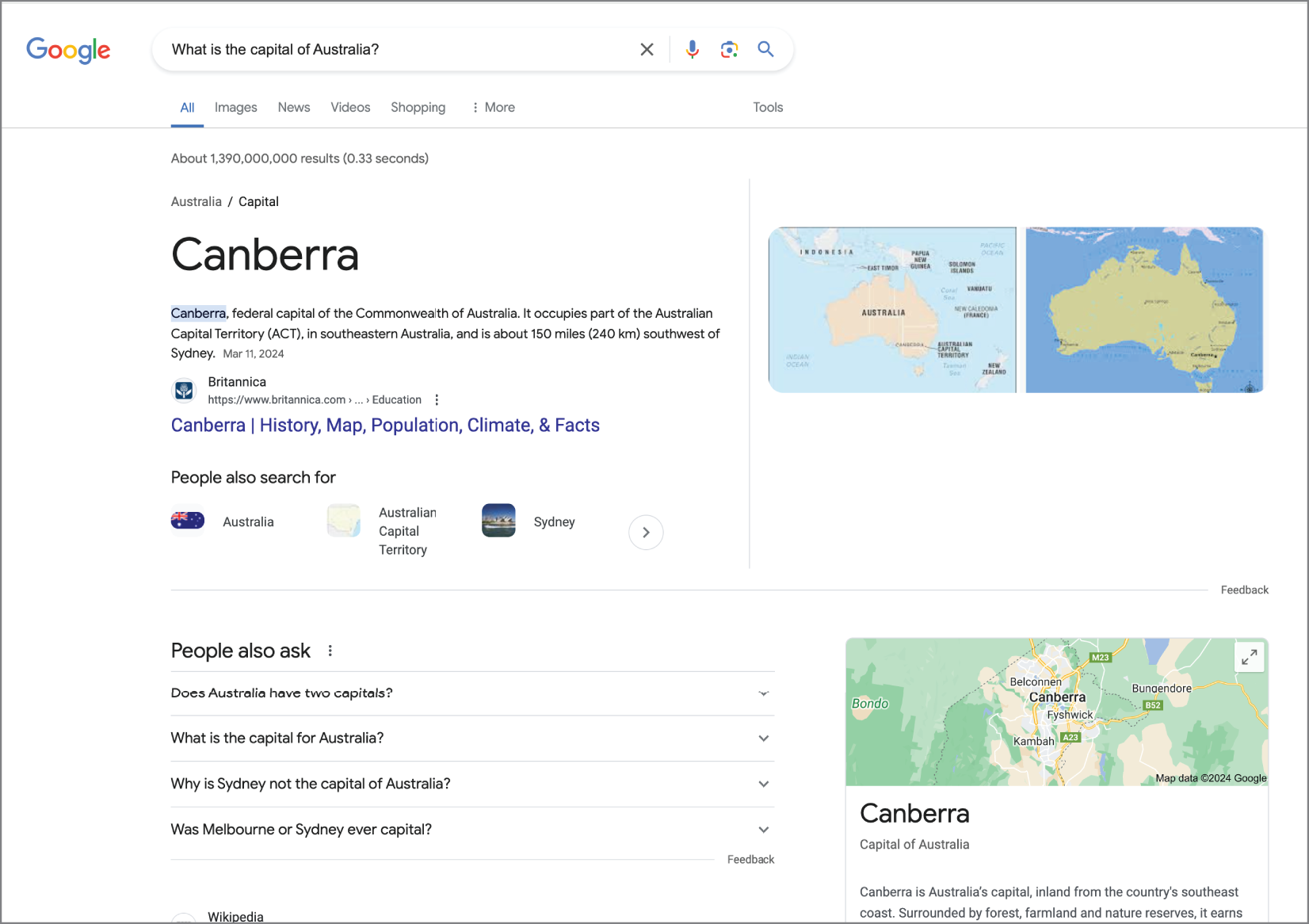 Figure 10.1 Google Search with answers
 Google 型搜尋擅長快速回傳權威答案,並用自動完成與更正把查詢導向可匹配的字串。
Source in book: Chapter 10
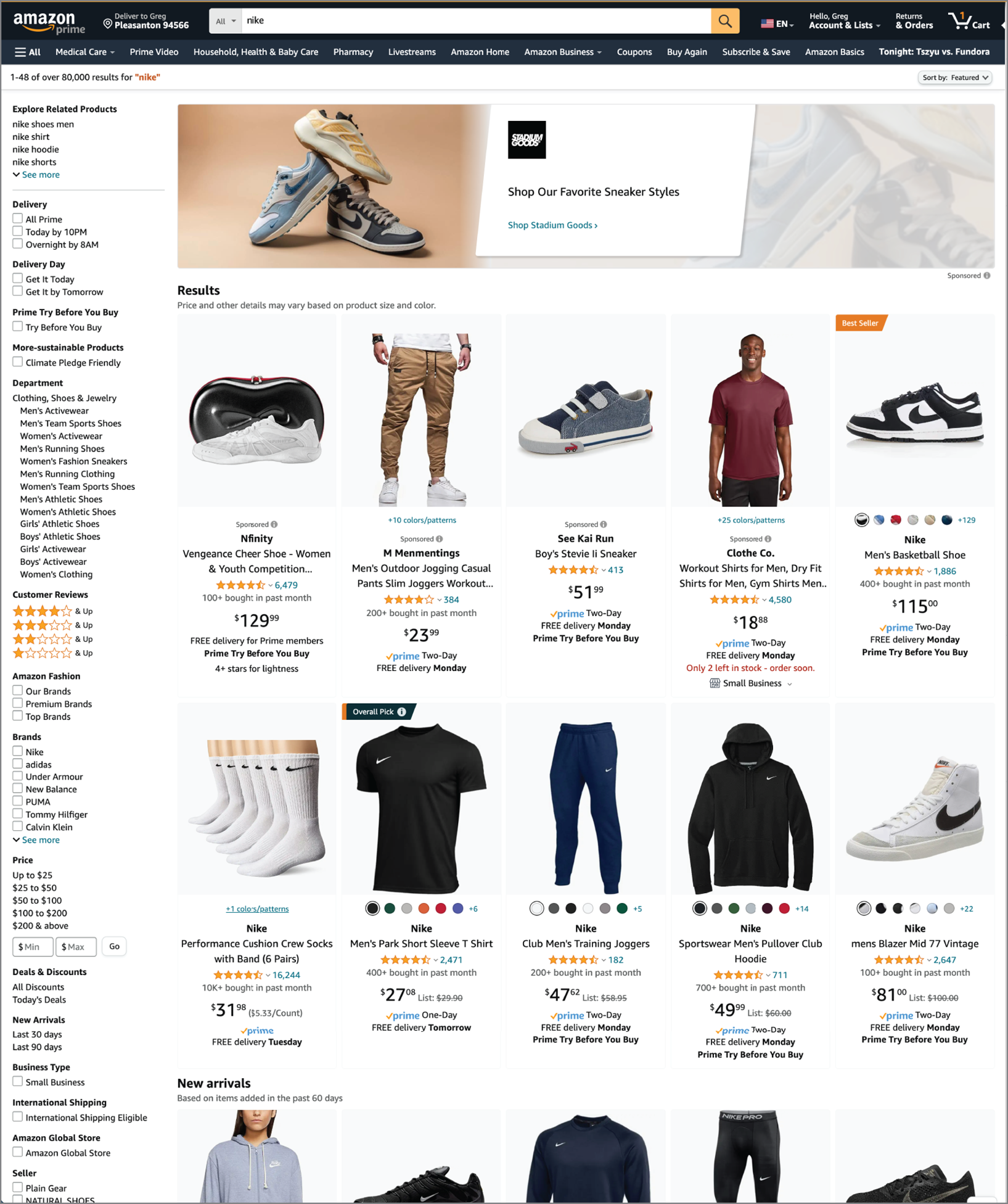 Figure 10.2 Amazon Search with facets
 Amazon 型搜尋以 facet 為核心,讓使用者用篩選與分類逐步縮小範圍。
Source in book: Chapter 10
接著看一個「否定查詢」例子:結果看起來很多,實際上很難直接用來推進下一步。
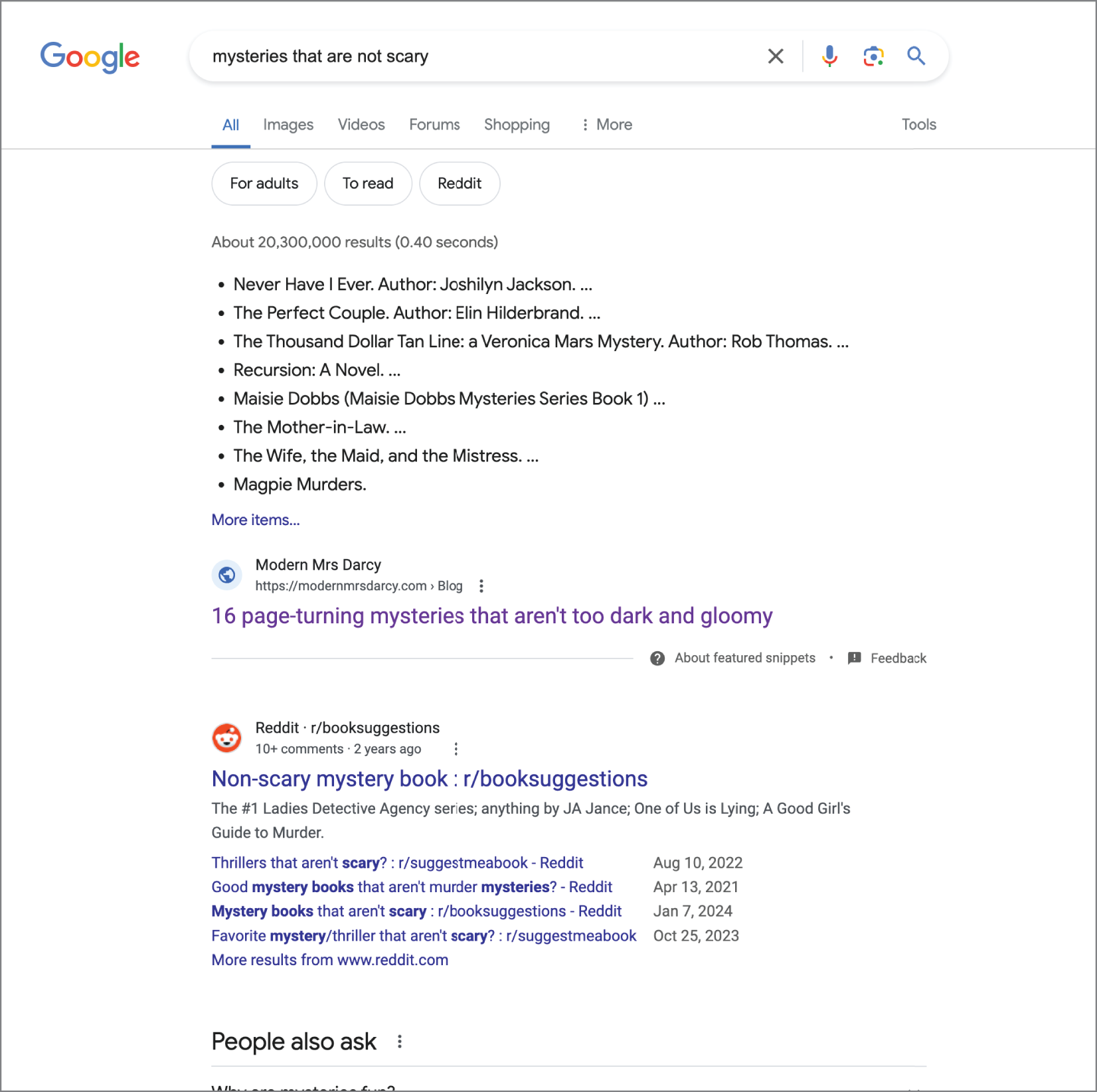 Figure 10.3 Google Search for “Mysteries That Are Not Scary”
 面對否定與模糊意圖,傳統搜尋容易回到人類整理的指南或雜訊較高的結果集合。
Source in book: Chapter 10
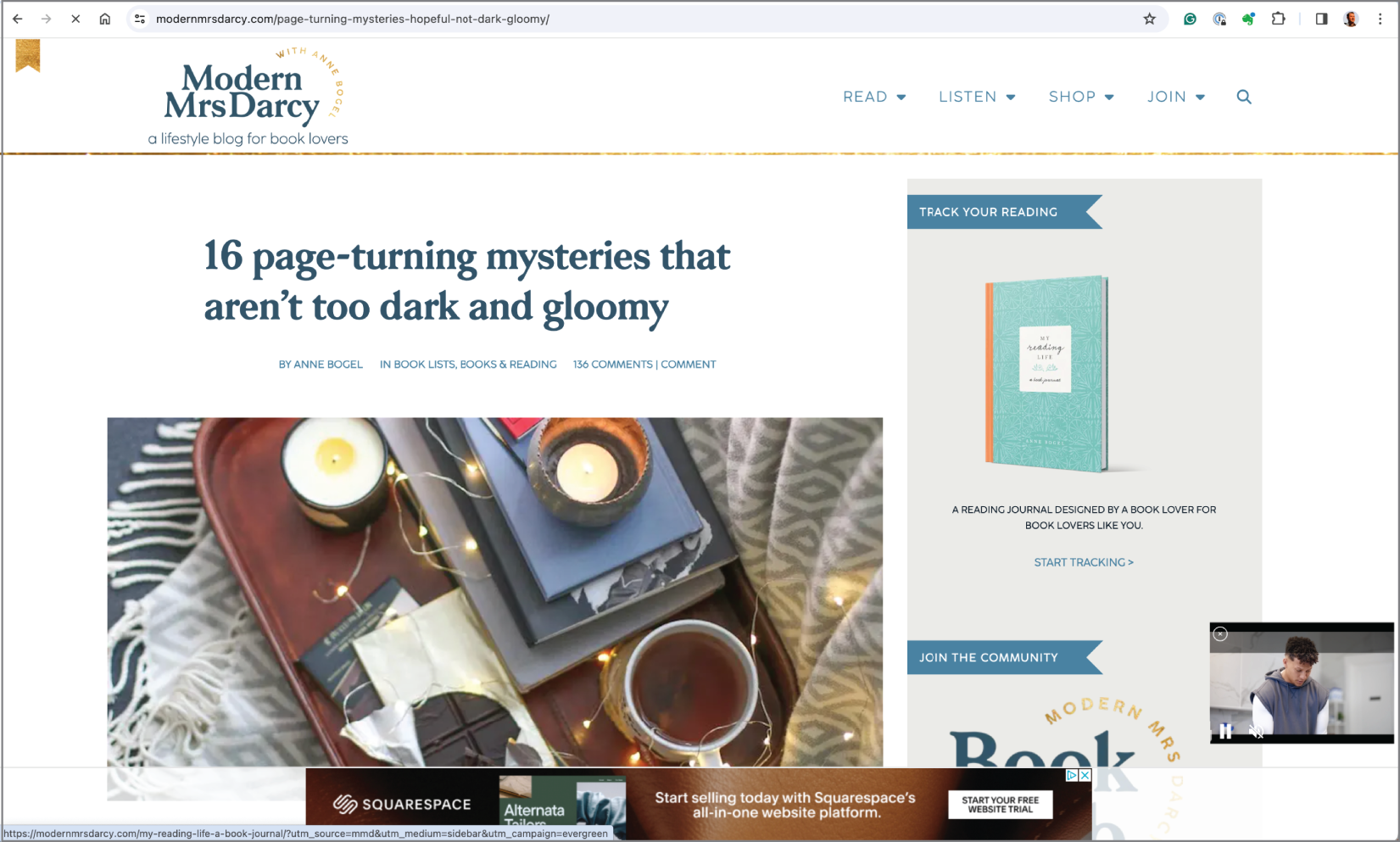 Figure 10.4 “Authoritative source” for non-scary mysteries
 傳統搜尋常把問題轉成「找得到的權威來源」,用連結與權威性來取代意圖拆解。
Source in book: Chapter 10
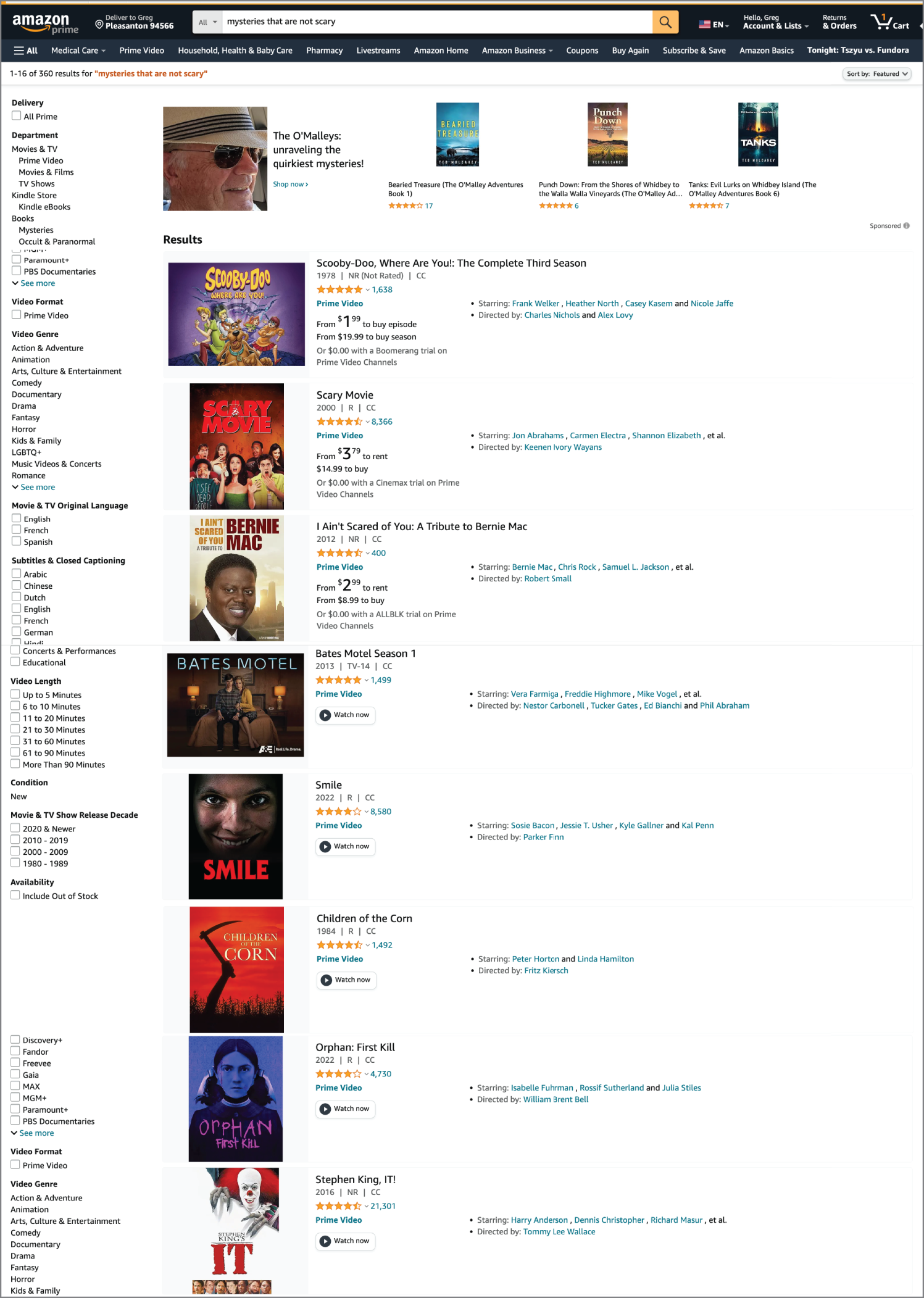 Figure 10.5 Amazon search results for “Mysteries That Are Not Scary”
 facet 很適合做約束,但遇到難以被標籤化的否定意圖時,結果容易變成大雜燴。
Source in book: Chapter 10
下面這組圖把「一般搜尋結果」與「AI 搜尋結果」放在同一個用例中對照,適合用來檢查切換與預覽設計是否清楚。
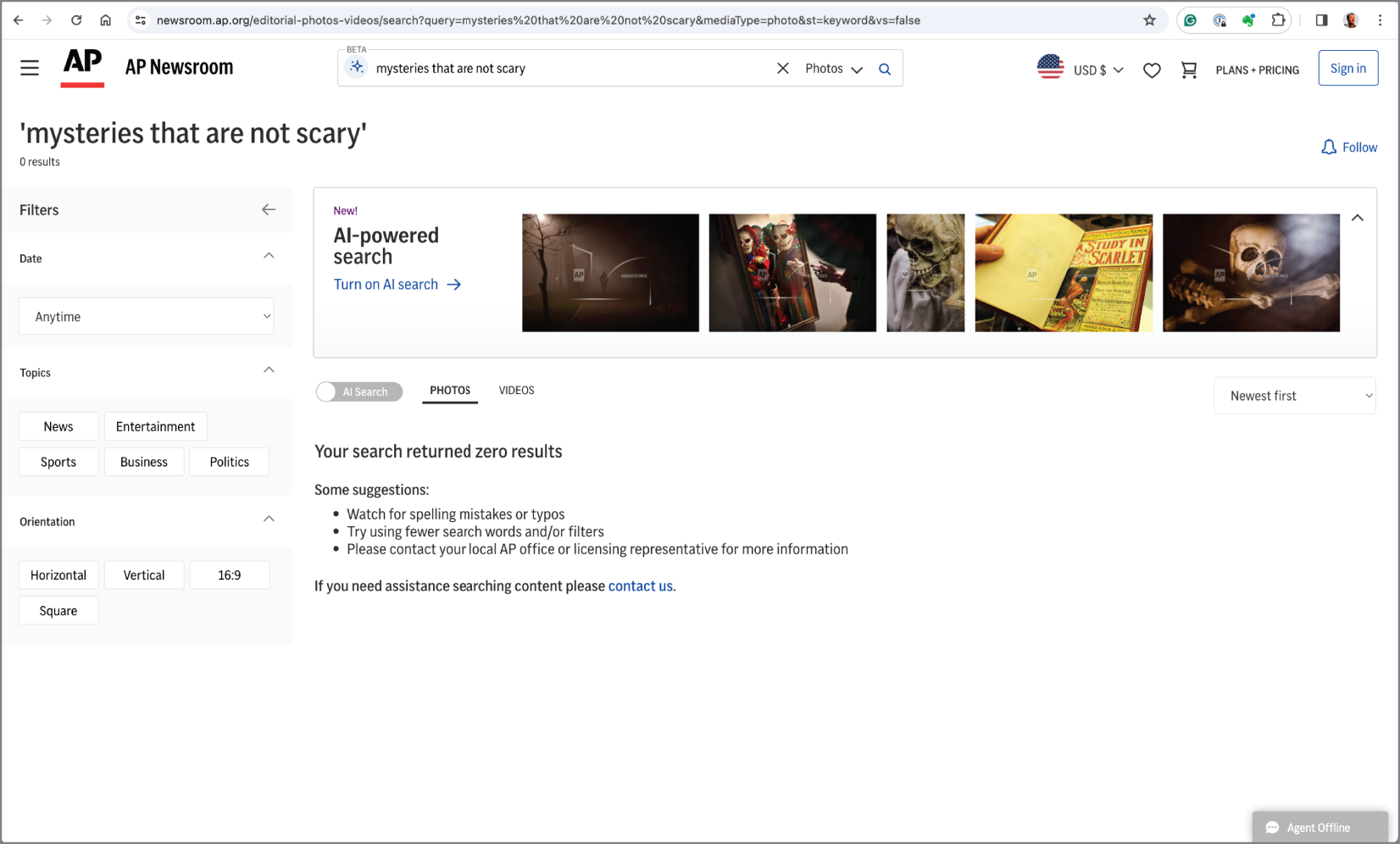 Figure 10.6 AP Images conventional search results
 一般搜尋先回到列表,使用者需要自行判斷要怎麼修正查詢或改用其他路徑。
Source in book: Chapter 10
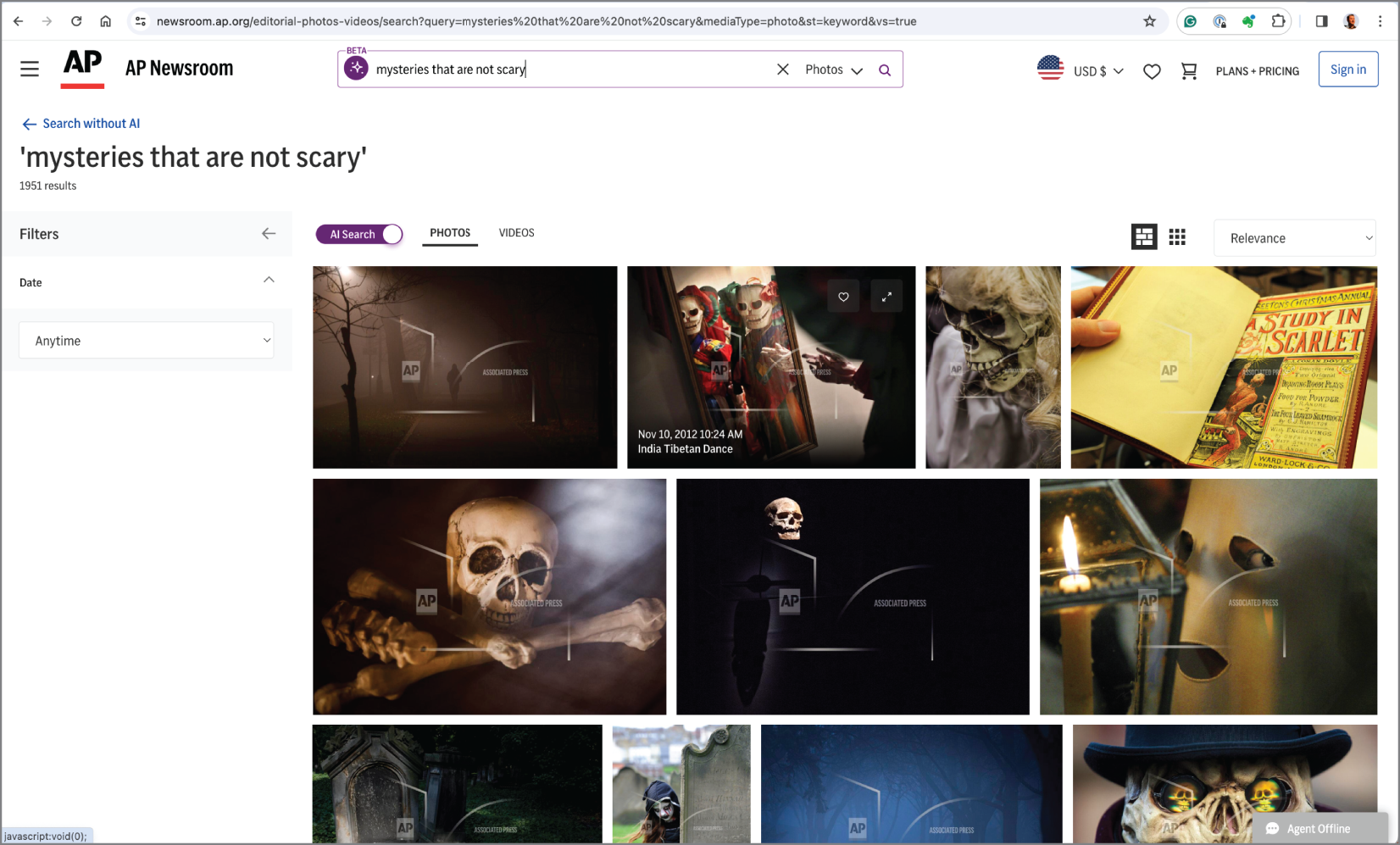 Figure 10.7 AP Images AI results
 AI 搜尋能先整理出可用的答案結構,讓探索從「看一堆結果」變成「看意圖分組」。
Source in book: Chapter 10
如果你的產品允許用聊天型結果呈現,這兩張圖可以當作輸出格式的參考樣本。
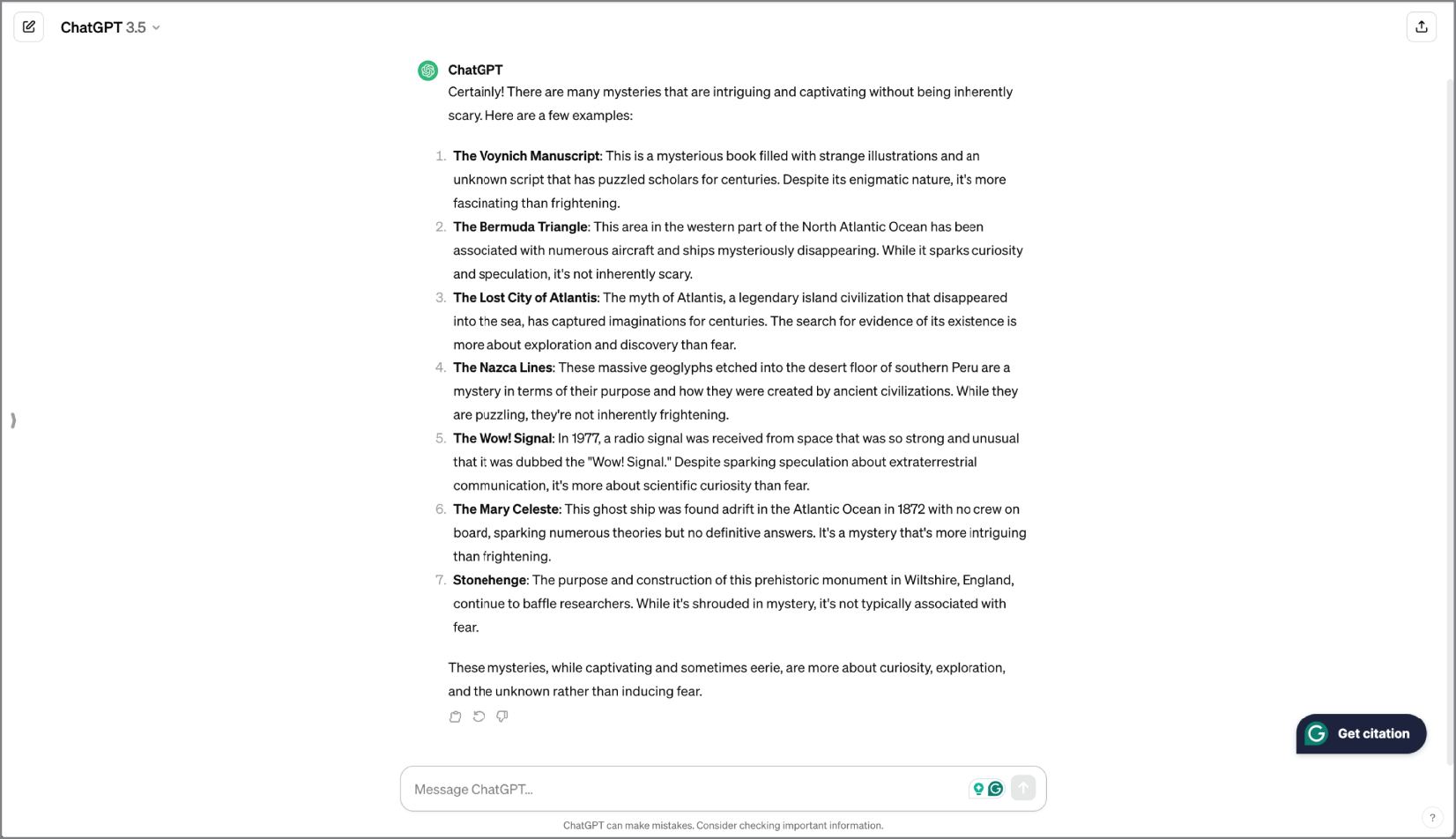 Figure 10.8 ChatGPT results for “Mysteries That Are Not Scary”
 聊天型輸出能把解釋、清單與建議集中在同一個視野。
Source in book: Chapter 10
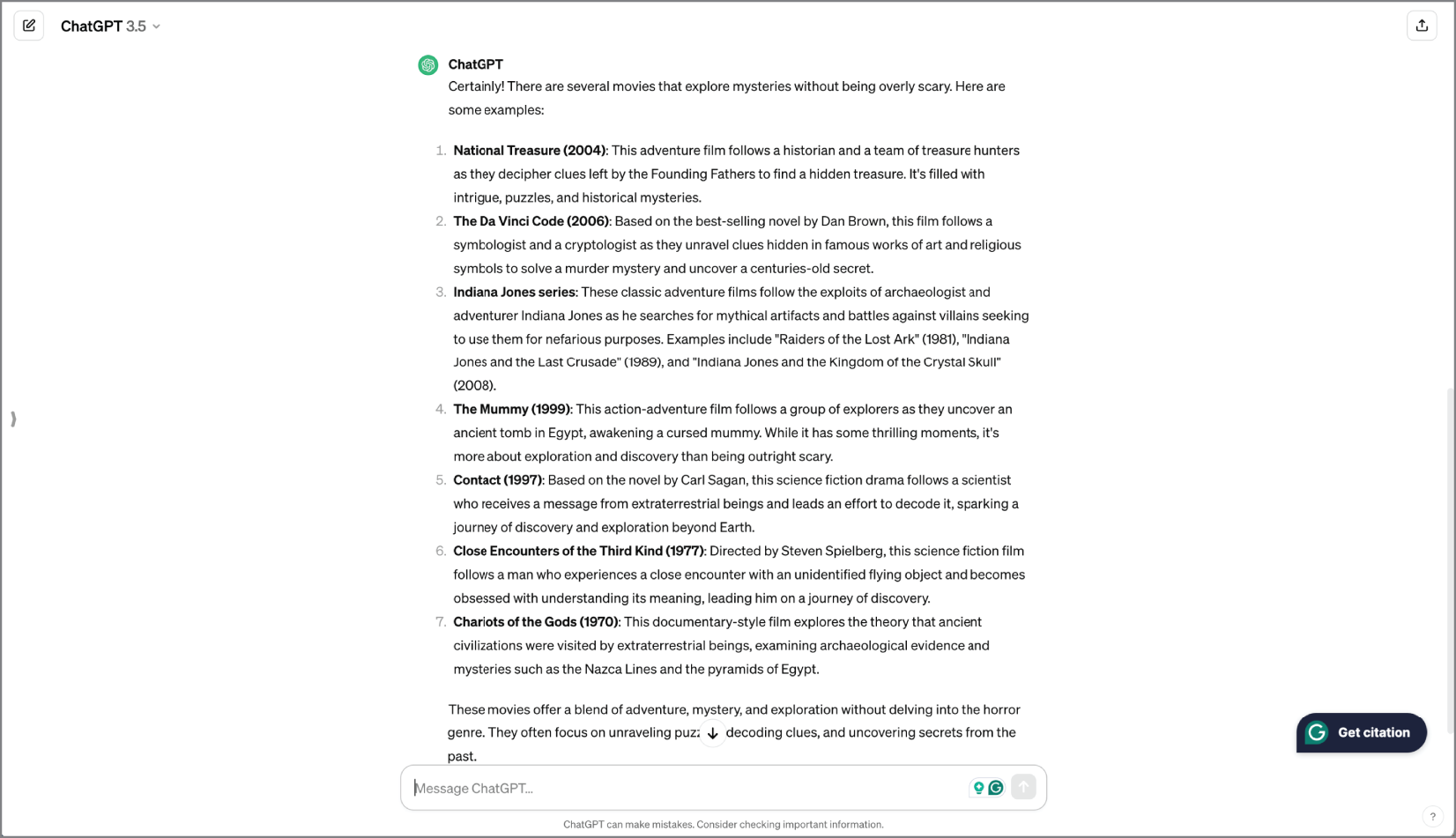 Figure 10.9 ChatGPT results for movies
 同一個查詢也能被重新定義到特定範圍,讓結果更容易被評估與使用。
Source in book: Chapter 10
方法(設計 LLM 搜尋 UI 時要做的決策)
下面這張教學圖把「一般搜尋」與「AI 搜尋」的切換與預覽放在同一頁上。讀圖時先檢查使用者是否永遠知道自己在哪種搜尋模式,再檢查回到一般搜尋的路徑是否明確。
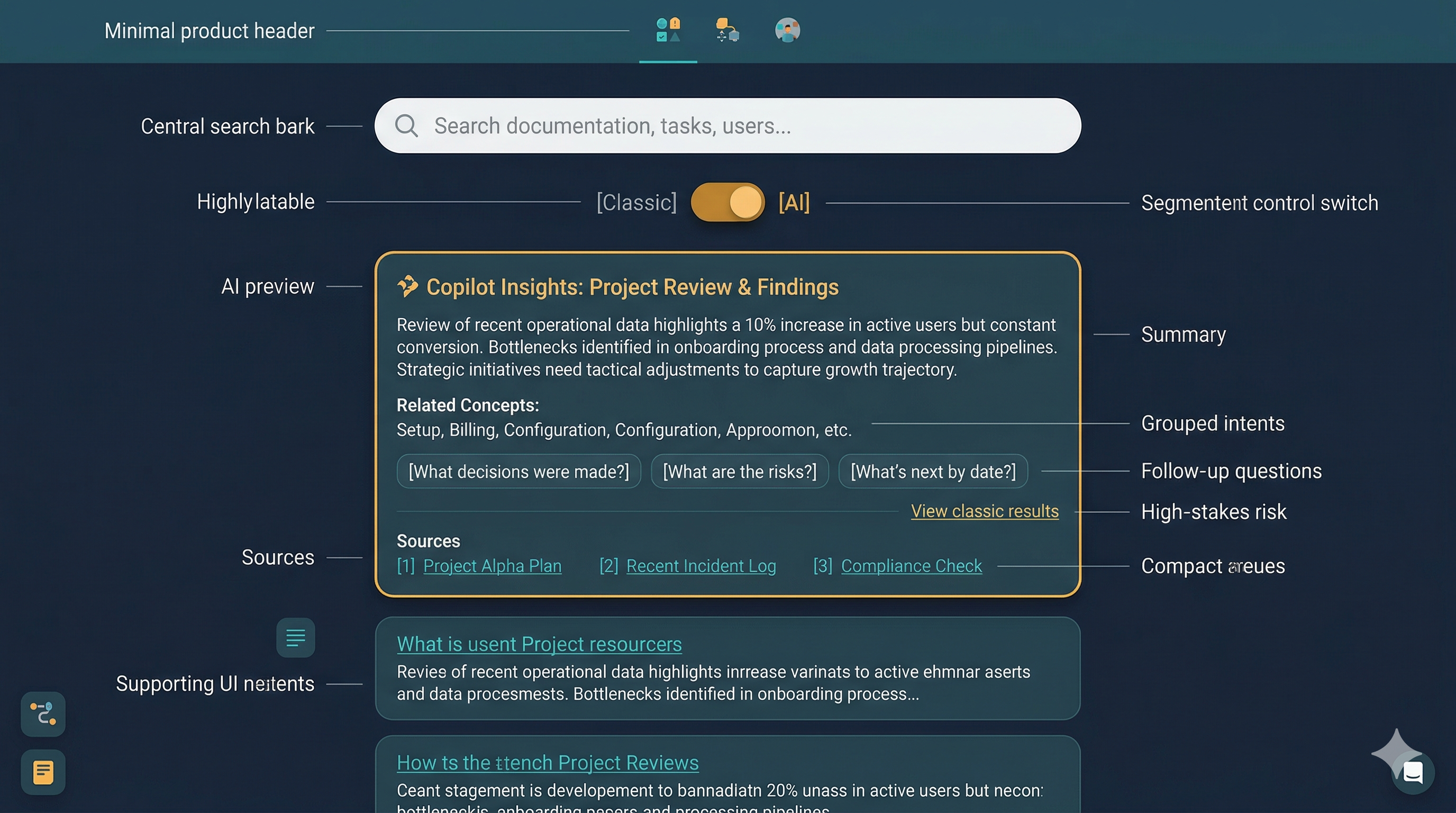 教學圖:LLM 搜尋的切換與預覽
 用開關分流時,關鍵在可控性與可回退:讓使用者能比較兩種邏輯,並在需要時回到一般結果列表。
下面這張教學圖用同一個查詢對照兩種結果格式。讀圖時留意:LLM 搜尋是否把「分組」與「追問」做成可接續的探索節奏。
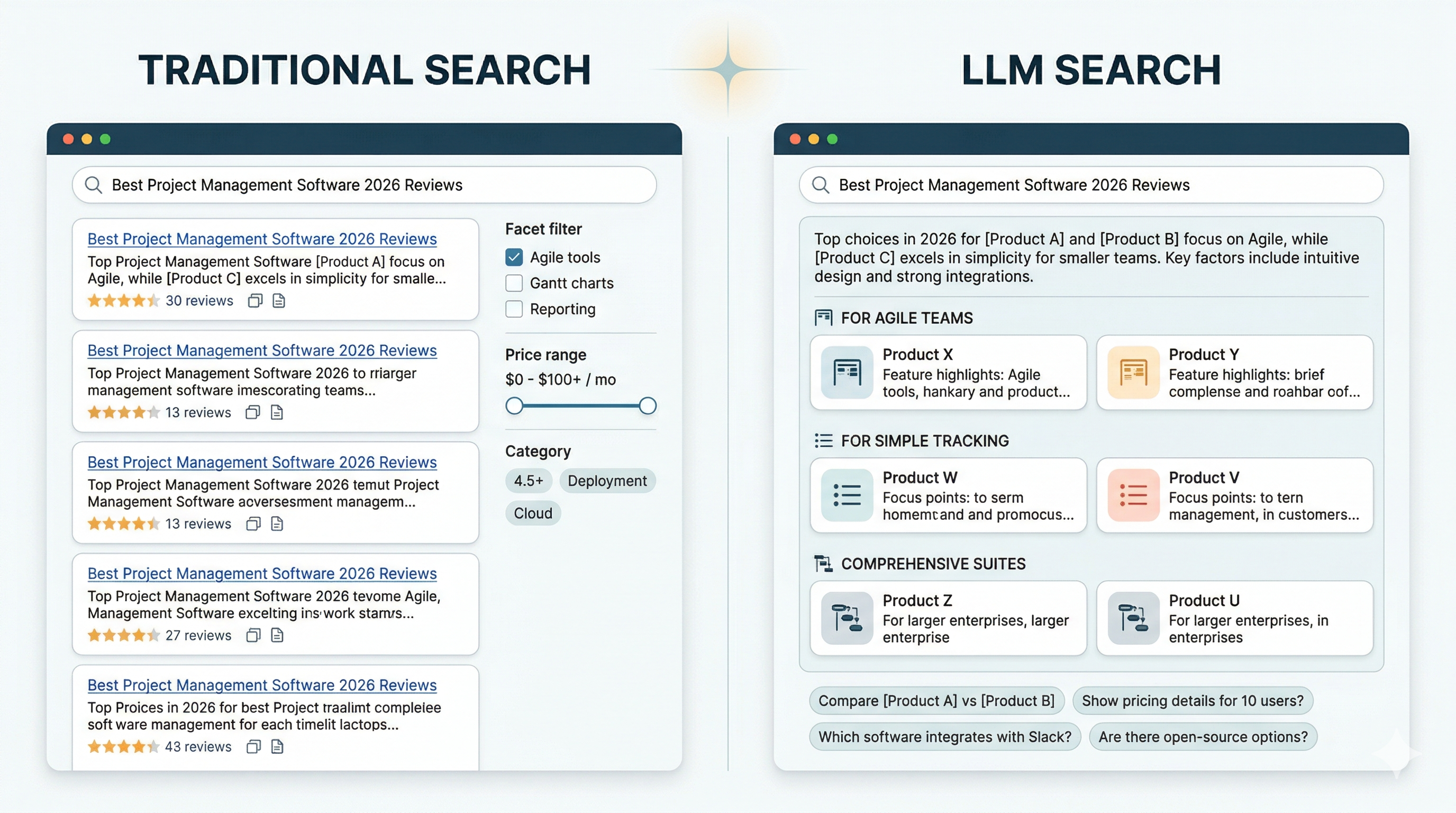 教學圖:傳統搜尋 vs. LLM 搜尋的輸出格式
 傳統搜尋偏向結果列表與篩選;LLM 搜尋偏向摘要、意圖分組與下一步提問,讓探索能延續。
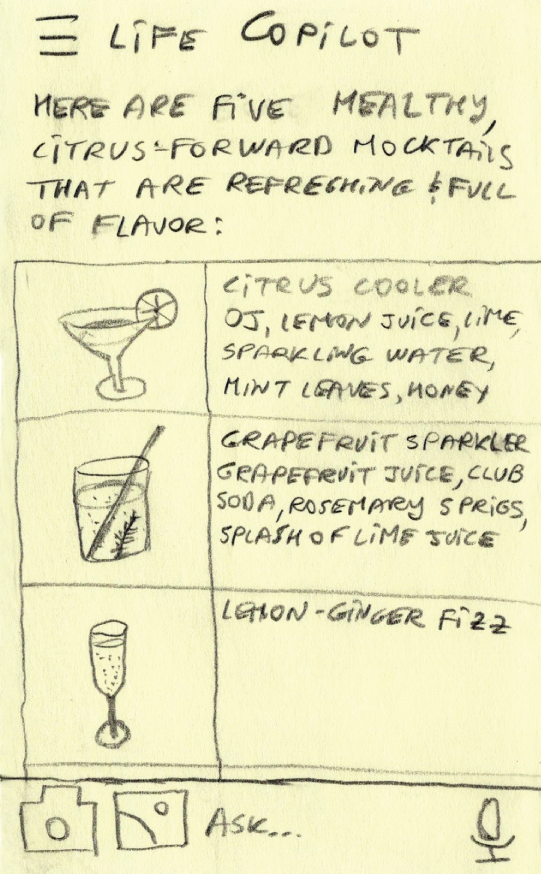 Figure 10.10 LLM fuzzy search results example
 LLM 搜尋的輸出常更接近「可用的答案與下一步」,而不是單純的連結集合。
Source in book: Chapter 10
下面這張教學圖把 facet 在 LLM 搜尋中的兩種角色畫成兩條路徑。讀圖時先看「約束」是否仍可被人理解與修改,再看 AI 建議是否能把模糊查詢轉成可用的篩選方向。
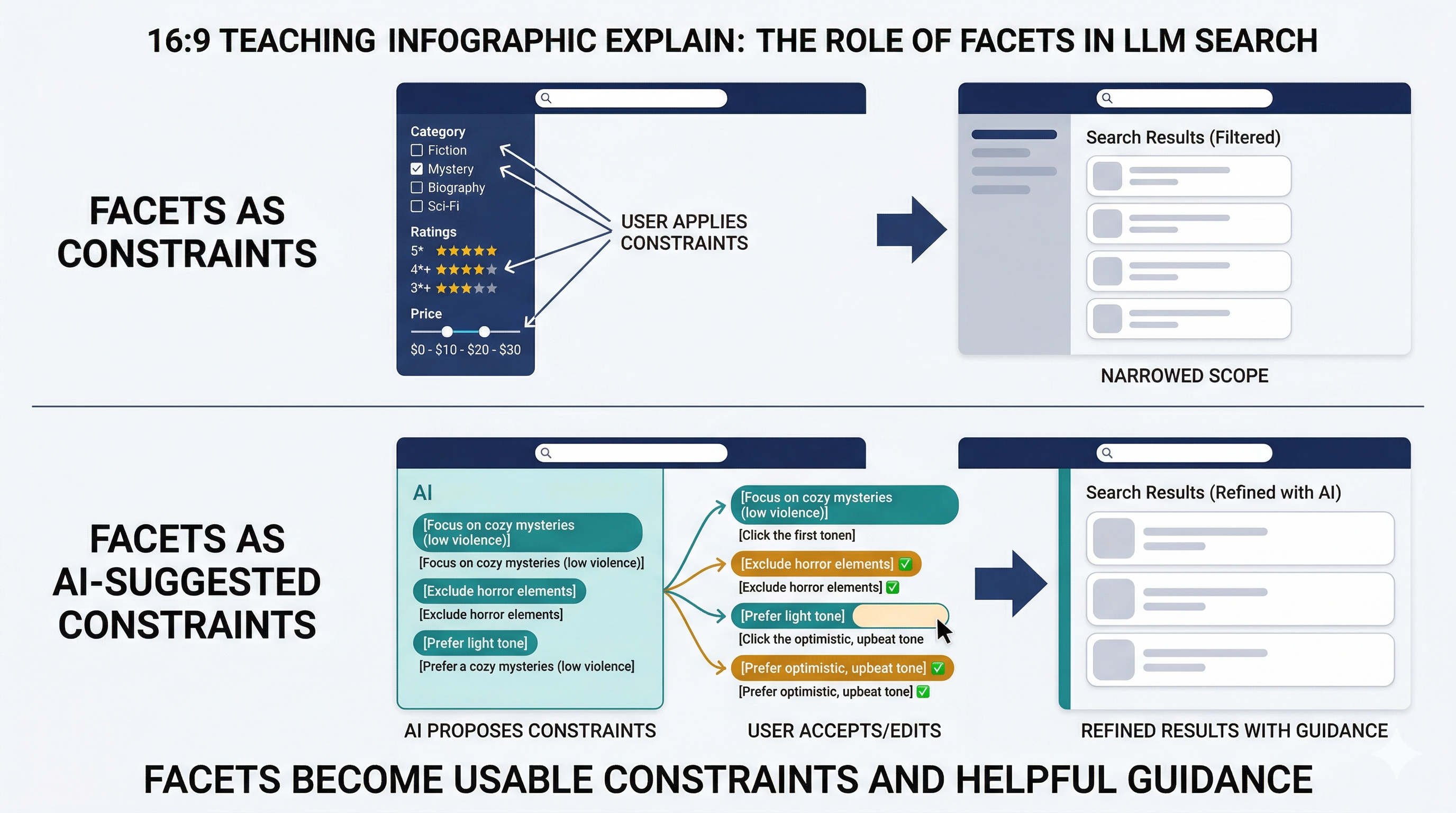 教學圖:facet 在 LLM 搜尋裡的角色
 facet 可以維持經典的縮小範圍,也可以由 AI 提出更可用的約束建議,讓使用者更快找到方向。
練習(設計你自己的 LLM 搜尋)
- 選一個「模糊查詢」會很常見的領域(內容、商品、知識庫、內部文件)。
- 畫兩個結果頁:一般搜尋 vs. LLM 搜尋(摘要、分組、3 條追問)。
- 寫下你要怎麼呈現「結果可信度」與「回到傳統搜尋」的路徑。